
Installing this application will not harm your device. Please ensure that apps from unknown sources can be installed on your device.
Place bets on the 1xBet mobile app
We're constantly improving our applications and use all the capabilities of modern mobile devices. Our main aim is to provide the ultimate user experience, alongside simplicity and security.
Scores and odds updated live
Quick access to your bet history
A large selection of LIVE events

How to install the Android app
1xBet

App installed Find out more about 1xBet apk
How to install the iOS app
Search
 1xBet
Go to the App Store and search for "1xBet", or follow this link in your browser.
1xBet Bahrain App — Android Betting App and Mobile Version
The 1xBet app allows users from Bahrain to place quick sports bets from anywhere. The 1xBet official app for Android has all the main features of the desktop version. Users can deposit and withdraw money, claim bonuses and promotions, and enjoy their favorite sports bets and casino games. For Android, the 1xBet Bahrain download is offered on the official site, so the original APK file comes directly from 1xBet rather than from a third-party store. If you would rather not install anything, the 1xBet mobile version opens in the browser of your phone.
Download and Install the 1xBet Mobile App
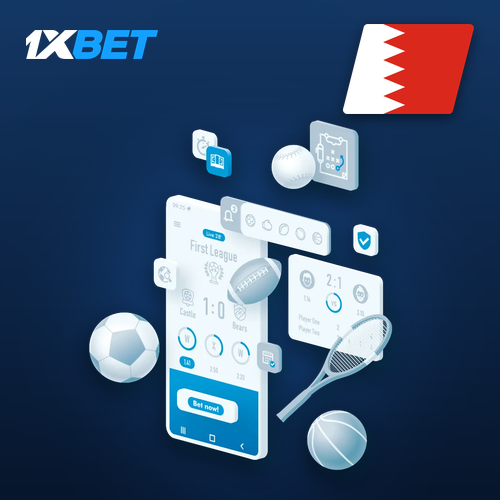
The app has a user-friendly design, pleasant theme, and adaptive interface for easy navigation. It ensures excellent compatibility with the main operating systems, and it also works smoothly on the touch screens of smartphones and tablets.
When users choose 1xBet app download, they can access all its key features:
The app offers a wide range of games from top software providers and allows betting on more than 40 sports.
It includes live dealer games and options for live sports betting.
Players can benefit from different bonuses and promotions.
Customer support is available 24/7 for any help needed.
The betting app also supports various payment methods for easy deposits and withdrawals.
1xBet APK Download for Android: How to Install the App
You can easily download the 1xBet APK for Android from the official site in a mobile browser. The 1xBet mobile download for Android comes as an APK file that you install directly on your phone. Here are the steps to download 1xBet APK for Android:
Visit the official 1xBet website.
Find the 1xBet app at the bottom of the main page of the 1xBet website and start the installation.
Download the 1xBet APK Android file.
Install the APK file on your Android device.
Log in to your account or create a new one.
Once the Android app is installed, you can register or use your current account. After the 1xBet download, you log in with the same details you use on desktop. If the installation stops with an error, delete the old file and start a fresh 1xBet APK download (latest version) from the official site.
iPhone and iPad owners install differently: the steps are on the 1xBet download for iOS page.
Keeping the 1xBet APK on the Latest Version
Three things are worth knowing once the Android file is on your phone:
Latest version. The latest version of the 1xBet APK is on the official site: start a fresh download from the same app link at the bottom of the main page.
Old version. If an old 1xBet file stops the installation with an error, delete it first and then download the new APK.
Login after the download. Open the app and log in with your current account details or register a new account; the same account works on desktop and mobile.
Why Players in Bahrain Prefer the Mobile Version
The 1xBet app Bahrain has all the main features of the desktop version of the platform. The 1xBet latest version of the app requires time to install, but once it’s ready, you will have a smoother betting experience with a responsive and convenient interface. The app has portrait orientation, and users can optimize it. The 1xBet app in Bahrain comes with the language, currency and local payment methods set up for your market.
Quick access to betting, real-time updates, and an easy interface
With the 1xBet betting app on their phones, users in Bahrain can easily and quickly place bets on a wide range of events. Another reason for the 1xBet Bahrain app download is its customization options:
You can add or remove menu items
Include payment cards, and
Set up two-factor authentication for extra security.
The 1xBet betting app works on Android for users in Bahrain, with the same account as on desktop.
1xBet Betting App on Mobile: Core Features
The 1xBet app combines many sports betting options with mobile casino games, most of them made with HTML5 technology. On Android you install the 1xBet betting app straight on the phone, and the same sportsbook is available in the mobile version of the site.
Betting App for Android or Mobile Version: Markets and Payments
You can download the 1xBet betting app for Android or open the 1xBet mobile version in Chrome or another mobile browser, where the whole sportsbook is available with nothing installed.
The key features of the 1xBet app are the following:
Operating systems | Android app; mobile version in any mobile browser |
Account | ● Bet history ● Bonuses and promotions ● Deposits ● Withdrawals |
Security Features | ● Two-factor authentication ● SSL encryption ● Regular updates |
Special Features | ● Push notifications ● 24/7 customer support |
Starting Your Mobile Betting Journey
New users in Bahrain can easily create an account both in the app and through the 1xBet mobile site. To open an account, you can use your email, phone number, or social media accounts. If you want to gamble with real money, you must verify your account.
Create an account or sign in, top up your balance, and place bets instantly
You can start playing by registering on 1xBet. Follow these simple steps to set up your account, log in, and get your welcome bonus:
Go to the 1xBet mobile website or download the 1xBet app.
Create your account with your details.
Verify your account to get full access to the platform.
Review the bonus terms and choose the welcome bonus for your first deposit.
Users can use one account and switch between desktop and mobile gambling sessions for a better experience and accessibility to the platform’s features.
Support and Troubleshooting
Common problems include installation failures, app crashes, and login issues. To avoid these, download the 1xBet APK only from the official website and make sure your device has enough free space. When you start the 1xBet download, keep the browser open until the file has fully loaded.
How to solve installation issues and ensure optimal performance
When using the 1xBet app, you might encounter common issues that can affect your experience. Here are some common issues users may face with the 1xBet app and how to fix them:
Installation Issues | Ensure a stable internet connection for a fast load speed. |
App Freezing | Check that your device has enough storage space and close any apps running in the background. |
Login Fails | If you can't log in to your account, make sure you are using the correct username and password. If problems continue, you can reset your password. |
You can also contact a professional 1xBet customer support for help with any difficulties.
Install the 1xBet Bahrain app today — enjoy reliable, fast, and secure mobile betting wherever you are!